Algoriddim has partnered with the world leading DJ manufacturers to develop a wide range of premium DJ controllers, DJ mixers, and accessories, co-branded and designed to seamlessly integrate with Algoriddim’s award-winning DJ apps.
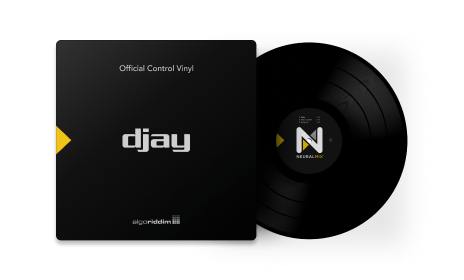
djay Control Vinyl NEW
djay Control Vinyl allows you to control djay on your Mac, iPad, or iPhone using physical turntables. Its unique patent-pending format pushes the boundary of DVS technology, offering instrumental and acapella versions of any song right on the B-side of the control vinyl - just like on a 12" single from back in the day. Simply drop the needle onto one of three distinct tracks. |
Works |
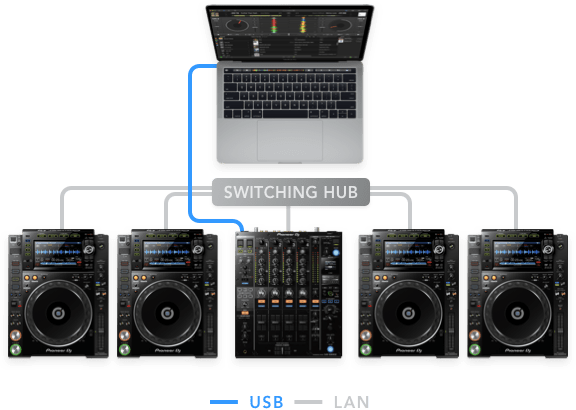
CDJ System
|
Works
|
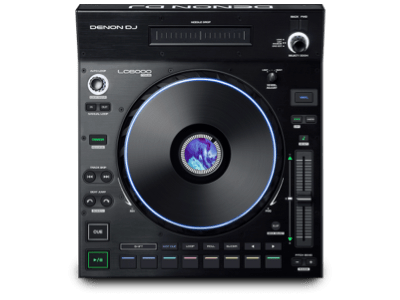
LC6000 PRIME
With the same look, design, and feel, as the flagship SC6000 Media Player, the versatile LC6000 gives DJs a professional hardware control, fully compatible with djay Pro. Powered and activated with just a single USB connection, the LC6000 PRIME is truly ‘plug and play’. Connect one or multiple units to customize your setup and expand your creativity. |
Works |
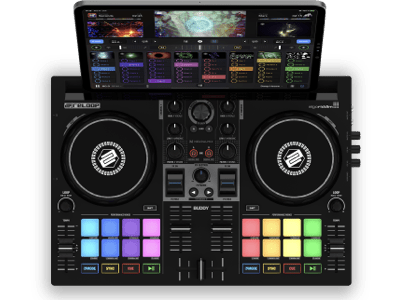
Buddy
The Reloop Buddy is a compact and powerful 2-channel DJ controller designed exclusively for djay. This innovative controller comes with FX paddles, 8 performance modes, and dedicated Neural Mix™ controls so you can isolate vocals and instrumentals in real-time. The ultra-portable design combined with high-quality materials makes Buddy the perfect companion for djay across desktop and mobile devices. |
Works |
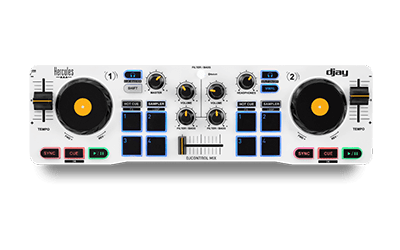
DJControl Mix
With miniature size and portability at its heart, the DJControl Mix works wirelessly over Bluetooth with djay on both iOS and Android. |
Works |
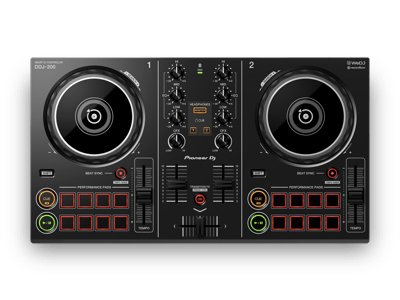
DDJ-200
DDJ-200 is the Smart DJ controller by Pioneer DJ. Seamlessly integrated with djay on mobile and desktop devices, the DDJ-200 offers you an intuitive way to mix music on-the-go. Use djay for a cutting-edge wireless integration with the DDJ-200 using ultra-low latency via Bluetooth (requires iOS), or connect the DDJ-200 to your computer via USB (e.g. on Mac or Windows). |
Works |
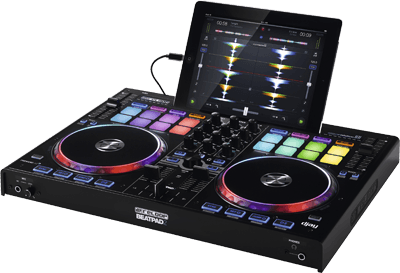
Beatpad 2
Slicer, loop, sampler and dynamic multi-effect control are just a few of the new, exciting remixing possibilities that can now be controlled directly via the Beatpad 2. The touch-sensitive drum pads with smart RGB illumination give you visual feedback for the selected mode so you know exactly what you're doing. |
Works |
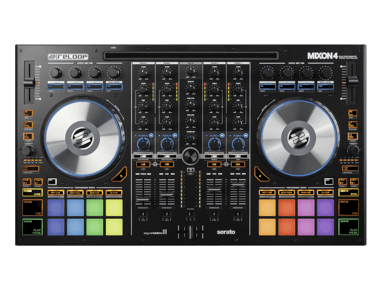
MIXON 4
MIXON 4 is the first 4-channel high performance DJ controller that is compatible with djay on any supported phone, tablet, Mac and PC. MIXON 4 is able to connect iOS devices with a Lightning connection, while simultaneously charging your device. For the first time it is possible to place an iPad PRO (12.9'') into the docking station and experience the raw performance on up to four decks. |
Works |
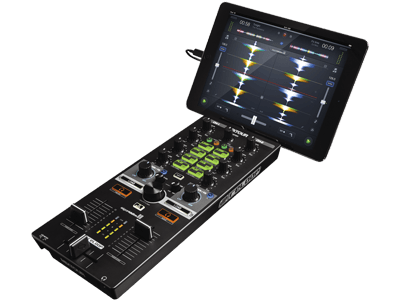
Reloop MIXTOUR
MIXTOUR has been designed from the ground-up to offer a compact, two-channel DJ controller layout which allows you to get the party started anywhere, anytime. This portable controller works with djay on any supported phone, tablet, or Mac/PC, and comes with a built-in audio interface and all necessary mixing controls. |
Works |
To use a DJ MIDI controller with djay, simply plug the controller into your Mac, PC, iOS, or Android device. djay will detect the controller and automatically pre-map all functionality, allowing you to start using the controller right away. And of course you can easily edit the mapping yourself and customize the controller for your demands.
Please note that the list of supported controllers applies to the latest version of djay/djay Pro on the
respective platform.
Not all features may be supported on some controllers.
Show controllers compatible with:
Mac Windows iOS Android✧ Pioneer DJ DJM-S11: requires latest mixer firmware to work on iOS.
* Some features are currently not supported on these controllers/mixers:
Sign up for our newsletter
I would like to read about the latest and greatest on the djay product line by Algoriddim. If I should change my mind, I can unsubscribe at any time. Further information can be found in the privacy policy.